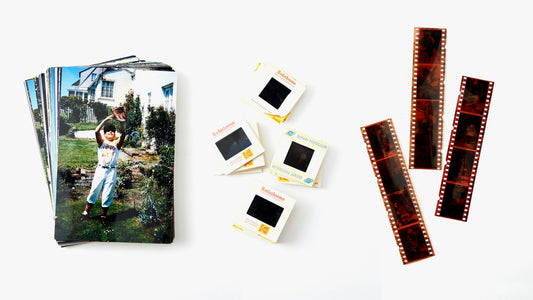
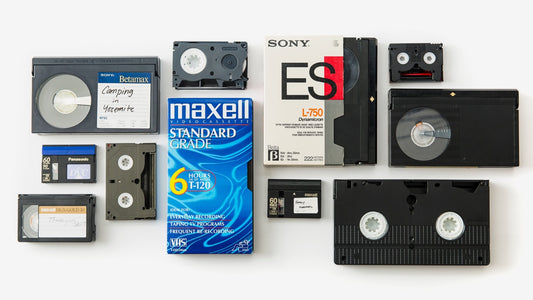
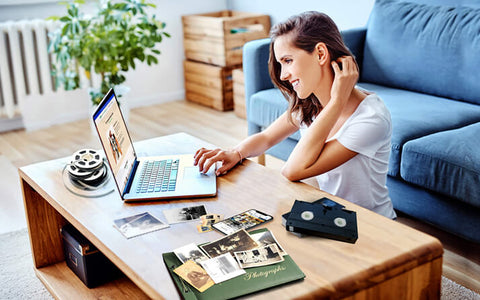
That dusty box of old film negatives tucked away in a closet holds more than just transparent strips of plastic; it holds your family’s history. You can see the shapes of faces and places, but the memories feel trapped, inaccessible in a format that belongs to a different era. Bringing them into the present day means you can finally see them clearly, share them easily, and protect them forever. The process of converting negatives to digital is the key to unlocking it all. This guide will walk you through your options, helping you decide on the best path for your precious memories.
Key Takeaways
- Professional Quality vs. DIY Control: Your best option depends on what you value most. A professional service guarantees high-quality, hassle-free results, while a DIY project gives you full control if you have the time and patience for it.
- Your Time Is a Major Part of the Cost: Before buying a scanner, honestly assess the hours you'll spend cleaning, scanning, and editing. For larger collections, a professional service is often more practical and economical once you factor in your time.
- Preparation Is Key for High-Quality Scans: Whether you do it yourself or hire an expert, the best results come from clean negatives scanned at a high resolution. Always use a soft brush to remove dust and select a setting of at least 3000 DPI for clear, printable images.
Where Can You Get Negatives Converted to Digital?
Once you’ve decided to bring your old negatives into the digital age, the next big question is: who do you trust with the job? You have a few great options, and the right one for you really depends on your collection's size, your budget, and how hands-on you want to be. You can send them to a dedicated professional service that handles everything for you, or you might find a local photo lab just around the corner. Each path has its own perks.
Professional mail-in services are fantastic for their expertise and specialized equipment, ensuring your memories are treated with care and converted at a high quality. They’re built to handle large orders and delicate materials. On the other hand, a local shop offers the convenience of dropping off your negatives in person and speaking directly with the people who will be handling them. Let’s walk through these choices so you can feel confident in your decision.
YesVideo: A Trusted Service for Your Memories
When you’re dealing with one-of-a-kind memories, trust is everything. At YesVideo, we’ve spent over 20 years carefully preserving family histories. We offer a reliable service for converting all kinds of media, including negatives, into digital files you can easily share and enjoy. Our process is designed to be simple for you and safe for your memories. You just send us your negatives in our secure, pre-paid box, and our team of technicians gets to work, processing every single order by hand right here in the USA. We treat your negatives as if they were our own, ensuring the photo transfer process preserves the quality and heart of every image.
Comparing Other Professional Services
It’s always smart to look at your options, and there are other professional digitizing companies out there. The biggest advantage of going with any professional service is the equipment they use. These companies invest in professional-grade scanners that capture far more detail, color, and clarity than you could get with a home setup. When you're comparing professional services, look at their pricing, turnaround times, and customer reviews. Also, pay close attention to how they handle your originals—do they offer tracking and status updates? Finding a service that is transparent and communicative can give you valuable peace of mind.
Checking Out Local Photo Labs
For a more personal touch, your local photo lab can be a wonderful choice. The main benefit here is convenience and face-to-face service. You can walk in, hand over your negatives, and talk directly with the technician about what you’re looking for. This is great if you have specific questions or just feel more comfortable keeping your memories close to home. However, quality can vary from one shop to another, as their equipment might not be as advanced as a dedicated digitizing service. Before you commit, ask to see some examples of their negative scanning work and inquire about the resolution they offer.
How Much Does It Cost to Convert Negatives to Digital?
When you're ready to bring your old negatives into the digital age, one of the first questions you'll ask is about the cost. The answer really depends on which path you take: hiring a professional service or tackling the project yourself. Let's break down the numbers for both options so you can figure out what makes the most sense for your memories and your budget.
Understanding Professional Service Pricing
Professional services typically charge on a per-negative or per-slide basis. The price can vary, but to give you a ballpark idea, one person shared that it cost them about $400 to scan 1,500 slides. While that might sound like a lot, you're paying for expertise and top-of-the-line equipment. Professional-grade scanners often outperform consumer devices, which means your digital images will have better clarity, color accuracy, and longevity. When you use a trusted photo transfer service, you're investing in high-quality results and the peace of mind that comes with letting experts handle your irreplaceable memories.
Calculating the Cost of a DIY Project
If you're thinking about doing it yourself, your main expense will be the scanner. Basic equipment to scan negatives starts at around $150, with more advanced models costing significantly more. To put that in perspective, you would need to digitize about 187 negatives with a professional service before the cost equals that minimum $150 investment in your own gear. This doesn't even factor in your time. For those with massive collections, the upfront cost of a scanner might eventually pay for itself. But for smaller batches of negatives, the math often favors letting a professional handle the job.
Don't Forget These Hidden Costs
The price tag on a scanner isn't the only cost in a DIY project. The biggest hidden expense is your time. DIY digitization can require a substantial time investment, especially if you have a large collection. You'll need to learn how to use the equipment, carefully clean and handle each negative, scan them one by one, and then edit the digital files. This process can take hours, or even days. While going the DIY route can seem cheaper at first glance, it's important to consider the value of your time and the potential frustration of a steep learning curve. Sometimes, the true cost is much higher than just the price of the equipment.
Professional Service vs. DIY: Which Route Should You Take?
Deciding how to convert your film negatives to digital photos comes down to what you value most: your time or your budget. Both paths can lead to beautiful digital archives, but they offer very different experiences. Going with a professional service is like hiring a specialist to handle a delicate project, ensuring top-notch results with zero effort on your part. The DIY route, on the other hand, puts you in the driver's seat, offering a hands-on project that can be rewarding and more budget-friendly if you have the time and patience.
Choosing the right option depends on the size of your collection, your technical comfort level, and how you want to spend your energy. Let’s break down the pros of each approach to help you figure out which one is the perfect fit for you and your precious memories.
The Pros of Using a Professional Service
When you hand your negatives over to a professional service, you’re not just saving time; you’re investing in quality. These services use professional-grade equipment that far surpasses what you can buy for home use. This means your final images will have better clarity, more accurate colors, and a higher resolution that’s perfect for printing and sharing. Technicians are trained to handle fragile, aging film with care, minimizing the risk of damage.
For many, the biggest benefit is simply the peace of mind. Instead of spending hours learning new software and troubleshooting a scanner, you can trust experts to manage the entire photo transfer process. If you have a large collection of negatives, a professional service can digitize everything in a fraction of the time it would take you to do it yourself, delivering a ready-to-enjoy digital library of your family’s history.
The Pros of Scanning Negatives Yourself
If you enjoy a good project and want full creative control, scanning your own negatives can be a deeply rewarding experience. The most obvious advantage is cost. While there’s an initial investment in a scanner, the DIY route can be more economical, especially for smaller collections. You get to call all the shots—from the resolution and file type to the organization of your digital folders.
This method also offers flexibility. You can work at your own pace, scanning a few negatives whenever you have a spare moment. There’s no need to package up your priceless memories and send them away. For those who are tech-savvy and detail-oriented, the process of bringing old photos to life on your own computer can be a satisfying way to reconnect with your family’s stories firsthand.
Common DIY Mistakes to Avoid
Jumping into a DIY scanning project without a little prep can lead to disappointing results. One of the most common slip-ups is improper handling. Touching negatives with your bare hands can leave behind oils and fingerprints that will show up on the final scan. Always wear cotton or nitrile gloves to protect the film.
Another pitfall is skipping the cleaning step. Dust and debris are your worst enemies, as they can cause specks and even scratches on your digital images. Before scanning, it’s crucial to gently clean your negatives with a soft brush or a puff of air. Finally, pay close attention to your scanner’s settings. Using a low resolution to save time will result in grainy, poor-quality images that aren’t suitable for printing. Take the time to select a high resolution for the best outcome.
What Equipment Do You Need for DIY Negative Scanning?
Going the DIY route for scanning your negatives can be a rewarding project, but your results will heavily depend on the gear you use. Unlike a professional photo transfer service that uses high-end, specialized equipment, you'll need to assemble your own scanning setup. The right tools will make the process smoother and help you capture the best possible digital images from your delicate film negatives. From scanners to lighting, let's walk through the essential equipment you'll need to get started on your journey to digitize your family's memories.
Choosing a Dedicated Film Scanner
A dedicated film scanner is built for one job: turning your negatives and slides into high-quality digital files. While you might be tempted to use a flatbed scanner you already own, they are often a hassle for 35mm negatives and can produce disappointing results. A dedicated scanner, on the other hand, has specialized holders and a focused light source designed to capture the fine details and rich colors locked away in your film. Investing in one of these devices is often the most direct path to achieving clear, vibrant scans at home. It simplifies the process and gives you a much better starting point for any edits you want to make later.
Using a DSLR or Your Smartphone
If you don't want to buy a new piece of equipment, you might already have a powerful scanner in your pocket or camera bag. If you own a DSLR or mirrorless camera, you can get surprisingly good results by essentially taking a picture of your negative. This method requires a bit more setup—you'll need a macro lens, a tripod, and a backlight source—but it gives you a lot of control over the final image. For an even simpler approach, your smartphone can also do the trick. Apps like Filmory or FilmBox let you use your phone's camera to capture the negative and then help you convert it into a positive digital photo right on your device.
Must-Have Accessories for a Quality Scan
No matter which scanning method you choose, a few key accessories are non-negotiable for getting a clean, high-quality scan. First, you need to deal with dust. Before scanning, gently clean your negatives with a soft, anti-static brush or a puff of canned air to avoid tiny specks showing up in your final image. Second, a good light source is crucial, especially if you're using a DSLR or smartphone. An even, bright light box will help bring out the natural colors in your negatives. Poor lighting can lead to dull or unevenly lit scans. Finally, a film holder will keep your negatives flat and stable, which is essential for a sharp, focused image.
How to Get High-Quality Digital Scans
Whether you decide to scan your negatives yourself or hand them over to a professional, the goal is the same: to get beautiful, clear digital images that do your memories justice. The quality of your final scan comes down to a few key steps. Paying attention to detail during the preparation, scanning, and editing phases will make all the difference in preserving the color and clarity of your original moments.
Handle and Clean Your Negatives with Care
First things first, your negatives are delicate. The oils from your skin can leave permanent fingerprints, and tiny dust particles can look like major blemishes on a high-resolution scan. Before you begin, make sure your hands are clean and completely dry. It’s even better if you can wear a pair of lint-free cotton gloves. To remove any dust, gently use a soft lens brush or a puff of air from a handheld air blower. This simple cleaning step prevents dust from getting scratched into the negative during scanning and saves you a ton of time editing later. It’s a non-negotiable step that professionals who offer film transfer services take with every single order.
Choose the Right Scan Settings and Resolution
The settings on your scanner are what determine the level of detail in your digital photo. The most important setting is resolution, measured in DPI (dots per inch). For 35mm negatives, you’ll want to scan at a minimum of 3000 DPI to get a high-quality image that you can print. A poor light source in your scanner can also wash out the rich, natural colors in your film or create unevenly lit spots in the final image. Take the time to understand your scanner’s settings before you start a big project. A few test scans will help you find the sweet spot for getting the best results from your specific collection of negatives.
Edit Your Scans: Tips for Color Correction
A raw scan is rarely perfect. Negatives can fade over time, and scanners don’t always interpret colors perfectly. One of the most common mistakes people make is skipping the editing process altogether. Don’t be afraid to make a few adjustments! Using basic photo editing software, you can correct the color balance, adjust brightness and contrast, and crop the image. These small tweaks can transform a flat, discolored scan into a vibrant photo that looks true to life. Many people avoid common scanning mistakes by letting a professional service handle the color correction, which is often included as part of the digitization process.
How to Choose the Best Method for You
Deciding between a professional service and a DIY project comes down to your priorities. There’s no single right answer, but by thinking through a few key areas—quality, time, and cost—you can find the perfect path for preserving your precious memories. Let’s walk through what matters most so you can make a choice you feel great about.
Comparing Quality: Professional vs. DIY
If your main goal is to get the best possible image from your negatives, a professional service is hard to beat. Professionals use high-end, dedicated scanners that capture incredible detail and accurate color. Think of it like the difference between a point-and-shoot camera and a professional DSLR. While home scanners and smartphone apps have improved, they often can’t match the clarity and longevity of a professional scan. For irreplaceable family photos, using a professional photo scanning service ensures your digital copies are as crisp and vibrant as possible, creating a lasting archive for future generations.
Considering Your Time and Effort
Be honest with yourself: how much free time do you have for a new project? DIY digitization isn't a quick weekend task, especially if you have a big box of negatives. The process involves carefully cleaning each negative, scanning them one by one, and then editing the digital files to correct color and remove dust. This can require a substantial time investment. In contrast, professional services offer a hassle-free experience. You simply pack up your collection and send it in. If your schedule is already packed, letting experts handle the work saves you hours of effort.
Matching the Method to Your Budget and Collection Size
At first glance, DIY seems like the cheaper option, but it’s important to consider the total cost. You’ll need to buy a scanner, and potentially software and cleaning supplies. While this might make sense for a very small batch of negatives, the costs can add up. For larger collections, the price per scan from a professional service can be more economical than buying your own gear. This is especially true when you’re digitizing entire photo albums. Weigh the initial investment of DIY against the per-image cost of a service to see which makes more financial sense for the size of your collection.
Related Articles
- 5 Ways to Convert Negatives to Digital – YesVideo
- Negative Photos 101: A Comprehensive Guide – YesVideo
Frequently Asked Questions
Is it really worth paying a professional when I can just use my phone? Using your phone is great for a quick preview, but if you want to create a lasting archive, a professional service is the way to go. The specialized scanners they use capture far more detail, texture, and accurate color than a phone camera can. This means you'll get high-quality files that you can print, enlarge, and share for years to come without losing clarity.
What resolution is best for scanning my own negatives? If you decide to scan your negatives yourself, aim for a resolution of at least 3000 DPI (dots per inch). This is a solid standard for 35mm negatives and will give you enough detail to create quality prints up to 8x10 inches. Scanning at a lower resolution might seem faster, but you'll sacrifice the sharpness and clarity that make these old photos so valuable.
How do I know if my negatives are too damaged to be scanned? You might be surprised by what can be recovered from old negatives. Issues like color fading, dust, and minor scratches can often be corrected with digital editing after the scan. Unless a negative is torn in half or severely damaged by mold, it’s usually worth scanning. Professional technicians are especially skilled at handling fragile film and can often get a great image from a less-than-perfect negative.
What happens to my original negatives when I send them to a service? A trustworthy professional service knows your negatives are priceless. They will handle your collection with care, track it throughout the entire process, and return your original negatives to you along with your new digital copies. Your memories are never discarded or replaced; they are simply digitized and sent safely back home.
Besides cost, what's the biggest reason to choose a professional service over DIY? The biggest advantage is the time and effort you save. Scanning a large collection of negatives is a slow, meticulous process that involves cleaning, handling, scanning, and editing each image one by one. Handing the project over to a professional service frees you from hours of tedious work and guarantees a high-quality result without the learning curve.