That shoebox of old photos sitting in your closet has been on your to-do list for years, hasn't it? We all have one. It’s filled with family history, but the task of sorting, scanning, and organizing it all feels completely monumental. It’s the kind of project that’s easy to put off for another day. But what if you could finally check it off your list? A professional scanning service takes the entire burden off your shoulders. The real challenge is sifting through the options to find the right one. This guide is designed to cut through the noise and help you find the best photo scanning service for your collection, turning an overwhelming task into a simple, rewarding experience.
Key Takeaways
- Know Your Non-Negotiables: Before you start your search, decide what matters most for your project—whether it's high-resolution quality, a fast turnaround, a specific budget, or how your original photos are handled. This clarity will help you quickly find the right fit.
- Match the Service to Your Photos: The best choice depends on your collection. Seek out a service that specializes in your needs, like touchless album scanning for fragile heirlooms, expert restoration for damaged prints, or affordable bulk pricing for large archives.
- Read Reviews for the Real Experience: A company’s website shows their promises, but customer reviews reveal the reality. Look for patterns in feedback about hidden costs, customer support, and how easy it is to download and control your final digital images.
What to Look for in a Photo Scanning Service
Sending your one-of-a-kind photos to be digitized can feel like a big step. You’re trusting someone with your most precious memories, so it’s important to find a service that will treat them with care. But with so many options out there, how do you choose the right one? It really comes down to four key things: the quality of the scans, how long it will take, the total cost, and how the company keeps your photos safe.
Think of this as your checklist for finding a partner you can trust. A great photo scanning service will be transparent about its process and give you confidence that your memories are in good hands. Whether you have a few shoeboxes or an entire library of family albums, knowing what to look for will help you find the perfect fit for your project and give you peace of mind from start to finish.
Scan Quality and Resolution
The whole point of scanning your photos is to preserve them for the future, so the quality of the digital images is everything. You’ll want to look for a service that offers high-resolution scans, typically measured in dots per inch (DPI). A higher DPI means more detail is captured from the original print. For most photos, 600 DPI is a great standard that allows you to print crisp copies and zoom in on details without things getting blurry. Some services also offer different file formats, like JPEG or TIFF. JPEGs are perfect for sharing online, while TIFFs are larger, uncompressed files ideal for professional editing or archival purposes.
How Long Will It Take?
It’s natural to wonder how long you’ll be without your photos. The turnaround time for scanning services can vary quite a bit, from a few weeks to a couple of months. This often depends on the size of your order, the company’s current workload, and any extra services you’ve requested, like color correction or photo restoration. Many established companies have a well-organized system to keep things moving. At YesVideo, we provide a real-time online tracking system so you can follow your order’s progress every step of the way, from the moment it arrives at our facility to when it’s shipped back to you.
Understanding the Pricing
Photo scanning prices can be structured in a few different ways, so it’s smart to get a clear idea of the total cost upfront. Some companies charge per photo, while others offer prepaid boxes where you can fit as many photos as you can for a flat rate. If you’re sending in albums, you might see a base price for the first set of photos, with an additional fee for each picture after that. Be sure to ask about any potential hidden costs, like shipping fees, charges for a USB drive or digital download, or extra costs for scanning oversized prints or tricky formats.
Keeping Your Memories Safe
This is probably the most important factor of all. You need to know that your irreplaceable photos are being handled securely. Look for a company that does all its scanning work in-house and in the USA, so your memories aren’t being shipped overseas. A trustworthy service will have a clear process for tracking your order and handling each photo with care. For example, YesVideo’s photo transfer service includes a 6-point quality check, and our team of technicians processes every single order by hand. This ensures your photos are treated as memories, not just another number in a queue.
The Best Photo Scanning Services, Reviewed
Choosing a service to handle your family's precious memories can feel like a big decision. You want a company that not only delivers high-quality digital images but also treats your original photos with the care they deserve. To help you find the right fit, I’ve looked into some of the top photo scanning services available. Each one offers something a little different, whether you’re looking for detailed restoration, a budget-friendly bulk deal, or a super-fast turnaround. Let's walk through the best options so you can confidently pick the perfect partner for your preservation project.
YesVideo: For a Professional, Personal Touch
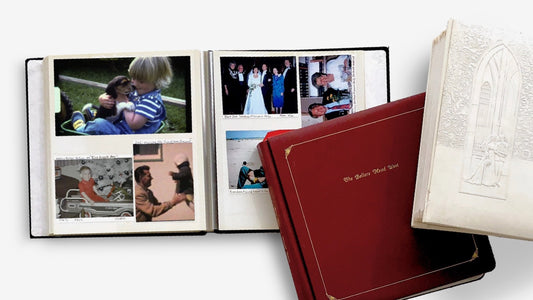
If you have delicate old albums you’d rather not take apart, YesVideo is a fantastic choice. They offer a unique, touchless album scanning service that digitizes entire pages, preserving the original layout and any handwritten notes. This is a huge relief when you’re dealing with fragile paper or photos that have been glued in place for decades. Beyond albums, their standard photo transfer service is handled with the same professional care, with all work done by hand in the USA. It’s a comprehensive service that feels personal and trustworthy, making it ideal for irreplaceable family collections where you want that extra peace of mind.
Memories Renewed: For Premium Restoration
Memories Renewed has earned a reputation for its exceptional restoration work, even getting top marks from reviewers at Wirecutter. If your collection includes photos that are faded, damaged, or very old, this service is worth a look. They excel at creating vibrant, clean digital files from originals that might seem beyond saving. Their team seems to have a special talent for handling challenging photos and bringing them back to life, which is exactly what you need when you’re trying to preserve a piece of family history that has seen better days. This makes them a premium choice for anyone whose main goal is restoration.
FotoBridge: For Budget-Friendly Bulk Orders
Have you inherited boxes upon boxes of photos? FotoBridge is a great option for tackling large collections without breaking the bank. They offer several bulk scanning packages that make digitizing thousands of photos much more affordable. They were even named "Best Photo Digitizer" by New York Magazine, so you know you’re getting good value for your money. Their process also includes what they call "Intelligent Digital Finishing," which helps improve the quality of the final images. This gives you a polished result at a competitive price, making it easier to finally get through that mountain of memories.
ScanMyPhotos: For Speed and High Volume
When you need your photos digitized quickly, ScanMyPhotos stands out. Their process is built for speed and efficiency, centered around a prepaid scanning box that you fill with up to 1,800 photos. While their standard turnaround is a few weeks, they offer a rush service that can get your order done in just one business day for an extra fee. This is perfect if you’re working on a time-sensitive project, like a memorial slideshow or an anniversary gift, and need your digital files back right away. It’s a straightforward solution for getting a high volume of photos scanned in a hurry.
ScanCafe: For Enhanced Editing Options
If you want your digital photos to look their best without any extra effort on your part, ScanCafe is an excellent option. Their service goes beyond a simple scan by including manual touch-ups like cleaning, cropping, color correction, and red-eye removal with every image. This saves you the time you might otherwise spend editing the files yourself. For larger projects, their bulk scanning kits offer significant savings, making professional-quality editing accessible for big family archives. It’s a great all-in-one choice if you want your final images to be polished and ready to share.
How Much Does Photo Scanning Cost?
Figuring out the cost of scanning your photos can feel like comparing apples and oranges. Prices vary widely from one service to another, and the final bill depends on how many photos you have, the quality you need, and any extra services you choose. Some companies charge by the photo, while others offer a flat rate for a big box of pictures. Understanding these different pricing models is the first step to finding a service that fits your budget and your project.
The key is to look beyond the advertised price and consider the total value. A cheaper service might not include essential features like color correction or high-resolution scans, which could cost you more in the long run. On the other hand, a premium service might offer a comprehensive package that covers everything you need. We’ll break down the common pricing structures and potential extra costs so you can make a confident decision about which photo transfer service is right for you.
Per-Photo vs. Bulk Pricing
Most photo scanning services use one of two pricing models: per-photo or bulk. Per-photo pricing is exactly what it sounds like—you pay a set amount for each individual image scanned. This can be a great option if you have a small, curated collection of your absolute favorite shots. However, the cost can add up quickly if you have hundreds or thousands of photos.
Bulk pricing is often more economical for large archives. Some companies offer a prepaid box where you can fit around 1,800 photos for a single flat fee, which is perfect for digitizing entire family collections without counting every single print. Other services offer a hybrid model. For example, our album scanning service includes the first 35 photos for a set price, with a small additional charge for each photo after that, making it easy to digitize entire albums without removing the pictures yourself.
The Cost of Add-Ons
The initial scanning price is often just the starting point. Many companies offer a menu of add-on services that can enhance your digital images but also increase the total cost. These optional extras are worth considering, especially if your photos are old or faded. Common add-ons include professional color correction, dust and scratch removal, and restoration services that can fix tears or exposure issues.
For instance, some services offer a "Fix & Restore" package that can dramatically improve the quality of your original photos by adjusting colors and sharpness. Other potential add-ons might include higher-resolution scanning for enlargements, digital delivery on a USB drive in addition to cloud access, or special handling for fragile photos. Always check what’s included in the base price and what will cost extra so you can tailor the service to your specific needs and budget.
What Are the Hidden Fees?
No one likes surprise charges, so it’s important to read the fine print before sending your precious memories away. Some costs aren't always advertised upfront. For example, find out if you need to pay for shipping to and from the scanning facility. Another common charge is for specific organization—if you want your photos scanned in a particular order, some companies may charge an extra fee for the manual sorting required.
Also, be mindful of how your digital files will be delivered. While many services offer cloud access, it might only be free for a limited time, after which you could face a monthly subscription fee. Always check customer reviews and the company’s FAQ page to get a clear picture of all potential costs. A transparent company will be upfront about their pricing, ensuring you know exactly what you’re paying for.
What Other Services Should You Consider?
Beyond the basics of scanning quality and price, many companies offer extra services that can make a huge difference in your final product. Think about what you plan to do with your digital photos—will you be sharing them on social media, printing a large canvas, or creating a family photo book? Your goals will help you decide which of these add-ons are worth it for your project. From minor touch-ups to specialized scanning techniques, these features can help you get the most out of your newly digitized memories.
Photo Touch-Ups and Color Correction
Over time, photos can fade, get discolored, or suffer from red-eye. Many scanning services offer restoration options to bring your images back to life. This can range from basic color correction, which is often included, to more intensive digital repairs for scratches and tears. YesVideo’s photo transfer service, for example, includes options for restoration to ensure your digitized images look their best. If your photos have seen better days, look for a service that provides a comprehensive approach to not just digitizing your images, but also preserving their original beauty.
Digital Formats and Cloud Storage
Most services deliver your photos as JPEGs, which are perfect for sharing online and viewing on screens. However, if you’re a creative professional or plan on making large prints, you might want your images as TIFF files. TIFF files are ideal for projects where image quality is the top priority, like publishing or printing. Once your photos are digitized, you’ll also need a way to store and access them. Most companies offer downloads, but many also provide cloud storage, DVDs, or USB drives, giving you flexible options for safekeeping and sharing.
Scanning Photos Directly from Albums
If you have old, fragile photo albums, the thought of prying each picture out can be daunting. Some might be glued in so securely that removing them would cause damage. That’s where album scanning comes in. A few companies, including YesVideo, offer a touchless photo album scanning service that digitizes entire pages without ever removing the photos. This is a fantastic option for preserving the original layout and any handwritten notes, keeping the context and story of your album intact while protecting your delicate originals from harm.
Need It Fast? Look for Rush Options
Standard turnaround times for photo scanning can be several weeks, which is usually fine if you’re not in a hurry. But what if you need those photos digitized for a fast-approaching anniversary, birthday, or memorial service? Some companies cater to tight deadlines by offering rush processing. For instance, ScanMyPhotos offers a same-day scanning option for those who need their digital images immediately. While this service typically costs extra, it can be a lifesaver when you’re short on time and need your memories ready for a special event.
DIY vs. Professional Scanning: Which Is Right for You?
So, you have boxes of old photos, and you’re ready to bring them into the digital age. The big question is: should you roll up your sleeves and do it yourself, or hand them over to a professional? It’s a classic time-versus-money dilemma, and there’s no single right answer. The best path for you really depends on the size of your collection, your budget, and how much free time you have on your hands.
Going the DIY route gives you complete control, but it can quickly turn into a massive, time-consuming project. On the other hand, a professional service takes the entire task off your plate and delivers high-quality, consistent results, but it comes with a price tag. Think about what you value most. Are you looking for a weekend project and want to save some money? Or would you rather have the peace of mind that your precious memories are being handled by experts while you focus on other things? Let’s break down the specifics to help you decide.
When to Hire a Professional
Let’s be honest: if you’re looking at a shoebox (or several) overflowing with photos, the thought of scanning each one can feel completely overwhelming. This is where a professional service shines. Hiring experts to handle your photo transfer saves you an incredible amount of time and ensures every image is scanned at a high quality. Professionals use specialized equipment that’s far more advanced than a typical home scanner, capturing better color and detail. It’s the ideal choice if you have a large collection, value top-notch results, or simply don’t want to spend weeks tethered to a scanner. It’s a "done for you" solution that lets you enjoy the results without the work.
The Pros and Cons of DIY Scanning
The biggest draw of DIY scanning is the potential to save money, especially if you only have a small batch of photos. You get to work on your own schedule and have total control over the process, from organizing to scanning. However, the trade-off is significant. The time commitment is no joke; scanning hundreds of photos can take days or even weeks. You’ll also need to invest in a decent scanner, which can be costly, and there’s a learning curve to getting the settings just right for clear, high-resolution images. If you’re not careful, you could end up with subpar scans that don’t do your memories justice.
Comparing the Cost and Time Involved
When you weigh your options, think about what your time is worth. With DIY, your main cost is a scanner, but the hidden cost is the hours you’ll spend on the project. A professional service has a clear price, but it frees up your time entirely. For example, a service might handle album scanning by charging for the first set of photos and then a smaller fee for each additional one. This upfront cost eliminates the need to buy equipment and, more importantly, gives you back your weekends. Consider your photo collection’s size—for a few dozen photos, DIY might make sense. For a few hundred or thousand, investing in a professional service is often the more practical and efficient choice.
How to Prepare Your Photos for Scanning
Sending your precious memories off to be digitized can feel like a big step, but a little preparation can make the entire process smooth and worry-free. Taking the time to organize your collection beforehand not only helps you get the best results but also ensures your digital archive is exactly how you want it. Think of it as the first step in bringing your family’s history back to life. By sorting, handling fragile items with care, and packing everything securely, you set the stage for a beautiful and lasting digital collection you can share for years to come.
How to Sort and Organize Your Collection
Before you pack up your photos, it’s a great idea to do a quick sort. Start by weeding out any duplicates, blurry shots, or photos you simply don’t want to keep. This simple step can make a large project feel much more manageable and can even save you money. Once you have your final selection, group the photos in a way that makes sense to you—perhaps by year, by event, or by person. You can use envelopes or plastic bags to keep these bundles together. If your photos are already in albums, you’re in luck. Services like YesVideo offer album scanning, where technicians will carefully remove, scan, and replace each photo in its original order.
What to Do with Damaged or Fragile Photos
It’s completely normal for old photos to show their age. You might have pictures that are torn, faded, or stuck to album pages. Don’t worry—these can often be saved. It’s best to leave these delicate items to the professionals rather than trying to fix them yourself, which could cause more damage. Many scanning services are equipped to handle fragile photos with the utmost care. They can also offer restoration services to correct colors, remove dust and scratches, and improve the overall sharpness of the image. When you choose a photo transfer service, you’re trusting experts to gently handle these irreplaceable memories and give them a new digital life.
How to Pack and Ship Your Photos Safely
Packing your photos securely will give you peace of mind as they make their journey. Start by stacking your sorted photos or photo albums neatly inside a sturdy cardboard box. It’s a good practice to place them in waterproof plastic bags first, just in case the box is exposed to moisture during transit. Fill any empty space in the box with bubble wrap or packing paper to prevent the contents from shifting around. Most reputable companies will provide you with a crush-proof box and a prepaid shipping label with tracking, so you can follow your memories every step of the way. Following the company’s packing instructions ensures your photos arrive safely, ready to be digitized by hand.
What Can You Learn from Customer Reviews?
When you’re handing over a box of one-of-a-kind photos, you’re trusting a company with more than just paper—you’re trusting them with your family’s history. That’s why reading customer reviews is one of the most important steps in choosing a photo scanning service. They offer a real-world look into what you can expect, from the quality of the final scans to the care taken with your original prints.
Think of reviews as a conversation with past customers. They’ll tell you the good, the bad, and the details you might not find on a company’s website. Did the company communicate well? Were there unexpected fees? How did they handle precious, fragile photos? Paying attention to these experiences helps you find a service that not only delivers beautiful digital images but also provides peace of mind. A professional photo transfer service should make you feel confident from the moment you send your photos in to the moment you get them back.
Common Complaints to Watch For
While most companies strive to do great work, negative reviews can reveal critical red flags. Look for patterns in complaints. Are people frequently mentioning hidden fees or poor communication? One of the biggest things to watch for is aggressive upselling or confusing pricing. For example, some users have reported experiences with services that overcharged, added services they didn't request, or even signed them up for a monthly cloud subscription without clear consent. Reading through reviews helps you spot these potential issues and avoid a service that might cause more stress than it’s worth.
Privacy and File Access Concerns
How you get your digital photos back is just as important as the scanning process itself. Some reviews highlight a major concern: companies that keep your scanned photos locked within their own proprietary cloud storage. This can make it difficult to download your images and move them to a platform you actually use, like Google Photos or iCloud. Before committing, check what other customers say about accessing their files. You want to ensure the company provides your digital images in a standard format (like JPGs) that you can easily download, share, and store wherever you choose.
What People Say About Customer Support
On the flip side, glowing reviews about customer support are a fantastic sign. When people take the time to praise a company’s service, it often means the team went above and beyond. Look for comments about clear, consistent communication and how carefully the company handled the original photos. Great customer service means you’re kept in the loop and can trust that your memories are in good hands. A company with a long history of preserving memories often has its process down to a science, giving you confidence that they’ll treat your photos with the respect they deserve.
Finding the Right Service for Your Project
Every photo collection tells a unique story, and your scanning project will have its own set of needs. Maybe you have dozens of delicate, century-old photo albums filled with irreplaceable images, or perhaps you have a shoebox of faded photos that could use some TLC. The best photo scanning service for you depends entirely on what you’re trying to accomplish. Some companies specialize in handling massive archives with care, ensuring every album page is preserved. Others are experts at digital restoration, breathing new life into damaged prints.
Think about your main priority before you start packing up your photos. Is speed the most critical factor? Maybe you’re working against a deadline for a special event like a family reunion or an anniversary. Is budget your primary concern? If you're trying to digitize thousands of photos, cost per photo will be a major consideration. Or is quality the most important thing, especially for priceless images that need a gentle, expert hand? Understanding your primary goal will help you sort through the options and find a service that’s the perfect match for your precious memories. Below, we’ve broken down our top picks based on what they do best, so you can confidently choose the right partner for your project.
Best for Large Family Archives
If you're looking at a mountain of family albums, the thought of carefully removing each photo can be overwhelming. For extensive or fragile collections, you need a service that can handle the volume without compromising the integrity of your original albums. YesVideo offers a unique, touchless album scanning service that digitizes entire pages without you ever having to take a photo out. This is a game-changer for preserving the context and handwritten notes in your albums, ensuring that every part of the memory is saved. It’s the perfect solution for anyone who wants to digitize a large family archive with minimal hassle and maximum care.
Best for Restoring Damaged Photos
Time isn't always kind to old photographs. Fading, scratches, and discoloration can obscure the moments you want to remember most. If your collection includes photos that have seen better days, look for a service specializing in restoration. ScanCafe provides a comprehensive process that includes cleaning, cropping, and restoring your images. Their team can remove light scratches, dust, and red-eye, as well as perform color correction to bring faded pictures back to life. This is an excellent choice for anyone hoping to salvage cherished photos that might otherwise be lost to damage.
Best for a Quick Turnaround
Sometimes, you just need things done fast. Whether you’re preparing for a last-minute anniversary gift, a memorial service, or another time-sensitive event, waiting weeks for your scans isn’t an option. For projects that require speed, ScanMyPhotos stands out with its fast, same-day scanning service. You can order a prepaid box online, fill it with your photos, and send it in for a rapid turnaround. This makes it an incredibly convenient and reliable option when you’re on a tight deadline and need your digital memories back in your hands as quickly as possible.
Best for Overall Value and Quality
If you don't have a highly specialized need like restoration or album scanning, you’re probably looking for a service that delivers a great all-around experience. You want a solid mix of high-quality scans, reasonable prices, and a dependable turnaround time. Memories Renewed has earned a reputation for hitting that sweet spot. It was even rated as the best photo scanning service by Wirecutter for its exceptional balance of all three. This makes it an ideal choice for most people who are seeking a trustworthy and effective service that delivers fantastic results without any fuss.
Related Articles
- Best Picture Scanning Services of 2024: Top Picks – YesVideo
- 5 Best Ways to Convert Negatives to Digital – YesVideo
Frequently Asked Questions
I'm nervous about mailing my one-of-a-kind photos. How can I be sure they're safe? This is the number one concern for almost everyone, and it’s completely valid. The best way to get peace of mind is to choose a company that is transparent about its process. Look for a service that does all its work in-house here in the USA, so your memories aren’t being shipped around the world. A great service will also provide a way to track your order from start to finish and will handle every photo by hand, ensuring your collection is treated with the care it deserves.
What's the big deal with scan resolution, and what do I actually need? Think of resolution, or DPI, as the level of detail captured from your original photo. A higher number means a clearer, sharper digital image. For most family photos, 600 DPI is the perfect standard. It gives you a high-quality file that’s crisp enough to print new copies, share online, and even zoom in to see the details in the background without it getting fuzzy. Anything less might look fine on a small screen, but you’ll lose the quality you need for much else.
What if my photos are still in old albums or are different sizes? That’s perfectly fine and very common. Many professional services are well-equipped to handle photos of all shapes and sizes, including slides and negatives. If your photos are in fragile albums, you don’t have to risk damaging them by prying them out yourself. Look for a service that offers touchless album scanning, where they digitize the entire page. This keeps your photos safe and preserves the original layout and any handwritten notes, which are often part of the memory itself.
Why is there such a big price difference between services? Is a cheaper service okay? The price often reflects the level of care and the quality of the final product. A lower-cost service might use automated scanners that don't include any manual adjustments, potentially leaving you with digital images that have dust spots or off-kilter colors. A premium service typically includes hand-processing by trained technicians, color correction, and better equipment. While a cheaper option might seem tempting for a big project, investing a little more often means you’ll get a much better result that truly honors your original memories.
Once my photos are scanned, what's the best way to store the digital files? The beauty of digital files is that you can make endless copies for safekeeping. I always recommend having at least two backups. Keep one copy in a cloud service like Google Photos or Dropbox for easy access and sharing, and store another on a physical device like an external hard drive that you keep at home. When choosing a scanning service, make sure they provide your files in a universal format like JPEG, which you can easily download and manage yourself without being tied to their platform.