I recently found a box of my grandmother’s photos, filled with faded snapshots of family picnics and holidays from decades ago. Holding them felt like holding history, and I knew I had to protect them. My first thought was to find a place to "scan photos near me," but I quickly realized I needed more than just a scanner—I needed experts who would preserve the story in each image. This experience taught me that the process is about more than just technology; it’s about trust. This guide is for anyone in that same position, helping you navigate your options and find the perfect way to safeguard your family’s legacy.
Key Takeaways
- Choose Your Scanning Path Wisely: Professional mail-in services offer the highest quality and security for precious memories, while local stores and kiosks provide quick solutions for less critical photos. Your choice should reflect the value of your collection.
- Look Beyond the Price Tag: The best value isn't always the lowest cost. Prioritize services that offer high-resolution (600 DPI) scans and handle every photo by hand, as this ensures your digital copies are clear, detailed, and created with care.
- Organize Before You Digitize: Grouping your photos into labeled batches before sending them off is the single best thing you can do. This ensures your final digital files are neatly sorted into folders, saving you a huge organizational headache later.
Where Can You Scan Your Photos?
When you’re ready to digitize that box of family photos, you’ll find there are several paths you can take. The right choice for you depends on how much time you have, your budget, and how precious the photos are. From convenient mail-in services to local storefronts, let's look at the most common places you can get your photos scanned.
YesVideo: Professional Digitization Delivered to You
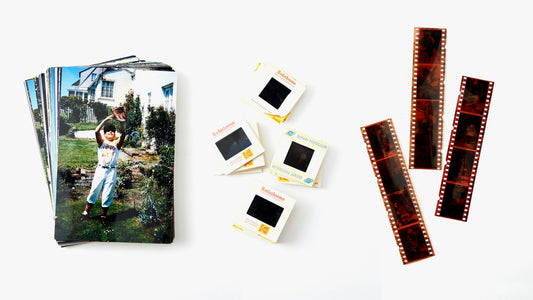
If you’re looking for a service that treats your memories with the care they deserve, a professional mail-in service is your best bet. With YesVideo, you get a crush-proof box to safely ship your photos, slides, and negatives. Our team of experts handles every single photo by hand right here in the USA, ensuring each image is digitized with high-quality resolution. Our photo transfer service is designed to be simple and secure, giving you peace of mind that your one-of-a-kind memories are in good hands. It’s the perfect option if you want professional results without leaving your home.
National Chains like FedEx and Staples
For quick, no-frills scanning, you can turn to national office supply and shipping stores like FedEx or Staples. These locations offer basic document and photo scanning services that are convenient if you just need to digitize a few pictures in a hurry. You can typically save your scanned files to a flash drive, email them to yourself, or upload them to a cloud storage account. While they offer accessibility, these services may not provide the specialized care or high-resolution options needed for delicate or historically significant family photos. They are a practical choice for less sentimental, standard-sized prints.
Local Photography and Digitization Shops
Supporting a local business can be a great way to get personalized service for your photo scanning project. Many local camera shops or dedicated media conversion businesses have experienced staff who can offer tailored advice. They often provide specialized services, such as scanning oversized photos, restoring damaged images, or handling delicate formats like slides and negatives. Working with a local shop allows you to speak directly with the person who will be handling your photos, which can be very reassuring. A quick search for "photo scanning near me" should give you a few local options to explore.
Self-Service Kiosks in Retail Stores
If you're comfortable with a hands-on approach and only have a small batch of photos, a self-service kiosk might be the right fit. You can find these machines in some retail stores, like FedEx Office, where you can scan your photos yourself. This is often the fastest option, as you can walk away with your digital files in minutes. However, the quality can vary depending on the machine, and you’ll be responsible for cleaning the scanner glass and ensuring each photo is positioned correctly. This method gives you complete control but requires your time and attention to detail.
What Does Photo Scanning Cost?
Figuring out the cost of scanning your photos can feel a bit like solving a puzzle. The final price depends on a few key things: how many photos you have, the quality you want, and any extra touch-ups you might need. Some services charge by the photo, while others offer packages that can save you money if you have a big box of memories to digitize.
Understanding these factors will help you compare your options and find a service that fits your budget without compromising on quality. After all, these aren't just pieces of paper; they're your family's history. Whether you have a few precious prints or entire photo albums, knowing what goes into the pricing helps you make the best choice for preserving them. Many professional photo transfer services provide clear, upfront pricing so you know exactly what to expect.
Comparing Per-Photo vs. Bulk Pricing
Most photo scanning services use one of two pricing models: a flat rate per photo or a bulk rate that gives you a discount for larger orders. A per-photo price is straightforward, but it can add up quickly if you have hundreds or thousands of pictures. This is where bulk pricing comes in handy. Many companies have a tiered system where the cost per photo decreases as the size of your order increases.
For example, a service might charge 85 cents per photo for a small batch but drop that price to 55 cents per photo for orders over 3,000. If you’ve inherited your grandma’s entire collection of photo albums, finding a service with a great bulk rate is definitely the way to go. It makes tackling a huge project much more affordable.
How Scan Resolution Affects the Price
The resolution of your scans, measured in dots per inch (DPI), plays a big role in both the quality and the cost. A 300 DPI scan is usually fine for viewing your photos on a screen or printing them at their original size. However, if you want to preserve your images for the long haul or plan on enlarging them later, a 600 DPI scan is a much better choice.
Higher resolution captures more detail, giving you a clearer, crisper digital image that will stand the test of time. Naturally, this extra quality often comes at a slightly higher price. Think of it as an investment in your memories. A higher-resolution scan ensures your digital photos look great for generations to come, making it a worthwhile expense for irreplaceable pictures.
Factoring in Fees for Restoration and Enhancements
Beyond the basic scan, many services offer enhancements to bring your old photos back to life. These can include color correction for faded images, dust and scratch removal, and other digital repairs. While these services can add to the total cost, they can make a world of difference, especially for older photos that have seen better days.
Some companies charge extra for each of these touch-ups, while others include them as part of their standard package. For instance, YesVideo includes manual color correction and scratch reduction with every order, which adds a ton of value. When you're comparing prices, be sure to check what's included. A service that seems more expensive upfront might actually be a better deal if it includes the restoration your photos need.
What to Expect from the Photo Scanning Process
Handing over a box of precious memories can feel like a big step, but knowing what happens next makes the entire process feel much more manageable. From the moment your photos leave your hands to the instant you see them on your screen, professional scanning services follow a clear, secure path to transform your prints into lasting digital keepsakes. The journey involves a few key stages: preparing your collection, getting it to the experts, the digitization work itself, and finally, receiving your new digital library.
Understanding this workflow helps you choose the right service and prepare your photos for the best possible outcome. It also gives you peace of mind, knowing that your one-of-a-kind moments are being handled with care. Whether you have a few dozen snapshots or several overflowing albums, the goal is always the same: to create high-quality digital copies that you can easily share, edit, and enjoy for years to come. A professional photo transfer service will guide you through each step, ensuring your memories are protected and preserved exactly as you remember them.
Prepare Your Photos for the Best Results
Before you send your photos off, a little prep work can make a huge difference. Start by organizing your collection in a way that makes sense to you. You could categorize photos by events, like holidays and birthdays, or group them by the year they were taken. This not only helps the scanning technicians but also makes it much easier for you to label and find your digital files later. You don’t need a complicated system—simply bundling stacks with rubber bands or placing them in labeled plastic bags works perfectly. Taking a few moments to create some order will save you a lot of time down the road.
Choose Between In-Store Drop-Off and Mail-In Services
Most photo scanning services offer one of two ways to get your photos to them: in-store drop-off or a mail-in option. Local shops are great if you prefer a face-to-face interaction and want to avoid shipping. However, mail-in services offer incredible convenience, especially if you don't have a trusted shop nearby. Companies like YesVideo have perfected this process, sending you a crush-proof box with pre-paid return shipping and a tracking system. This lets you securely pack your memories from the comfort of your home and follow their journey every step of the way, combining professional quality with ultimate convenience.
Know the Turnaround Time and Delivery Options
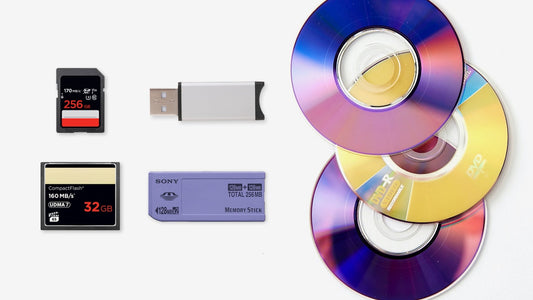
Once your photos are scanned, the next step is getting them back to you. Turnaround times can vary depending on the size of your order and the service you choose, but most companies will provide an estimated completion date. When your digital files are ready, you’ll typically have a few delivery options. A digital download is the fastest way to access your photos, allowing you to save them directly to your computer. Many services also offer a USB drive or DVD, which provides a tangible backup of your entire collection. These digital media transfers ensure you have a physical copy to store safely.
Decide on File Formats and Storage
Finally, you’ll want to think about how to store your newly digitized photos for the long term. Most services scan photos as JPEGs, which are perfect for sharing online and viewing on any device. Some may offer TIFF files, which are larger and higher quality, making them ideal for archiving or future editing projects. Once you have your files, the best way to protect them is to make multiple copies. Save them to your computer, an external hard drive, and a cloud storage service. Having your memories stored in different locations ensures that even if one device fails, your photos remain safe and sound.
How to Choose the Right Photo Scanning Service
Finding the right service to digitize your photos is a big decision. You’re not just handing over paper; you’re entrusting someone with irreplaceable family memories. Price is a factor, of course, but the most important things to consider are quality, security, and the company's reputation. You want a partner who will treat your photos with the same care you would.
To make the choice easier, let’s break down the four key areas to investigate before you send your photos anywhere. By looking at their scanning process, handling procedures, customer feedback, and extra services, you can feel confident you’ve found the perfect fit for preserving your family’s history. This way, you can focus on the fun part: reliving all those wonderful moments once they’re safely digitized.
Check Their Scan Quality and Resolution Options
The whole point of scanning your photos is to get a beautiful digital copy, so quality is non-negotiable. A professional service should use high-end equipment to capture your images clearly. The key metric here is resolution, measured in dots per inch (DPI). For standard viewing on a screen, 300 DPI is fine, but for better quality, look for 600 DPI. This higher resolution allows you to zoom in on details or print larger copies without losing clarity. Think about your end goal: if you dream of printing a large canvas of an old family photo, a higher DPI is essential. A good photo transfer service will be transparent about the resolution they provide.
Confirm How They'll Handle Your Photos
This might be the most important question you ask: How will you keep my photos safe? Your memories are priceless, and you need assurance that they’ll be handled carefully. Find out if the scanning is done in-house or if your photos will be shipped to another facility, potentially overseas. A trustworthy company will handle every photo by hand, right in their own lab. At YesVideo, we process every order by hand in the USA, so you know your photos are never far from home. Ask about their process from start to finish—from the moment they receive your box to the moment it’s returned to you.
Read Customer Reviews and Check Their Reputation
Customer reviews are your best source of real-world insight. Go beyond the star ratings on the company’s website and look for detailed reviews on third-party sites. What are people saying about the final quality of the scans? How was their customer service experience? Were there any issues with lost or damaged photos? Look for a company with a long history and a solid reputation for reliability and care. Seeing consistently positive feedback from other families who have trusted a service with their memories is one of the strongest indicators that you’ve found a winner.
See What Extra Services They Offer
A basic scan is one thing, but many services offer enhancements that can bring your old photos back to life. Do they include cropping, rotation, and basic color correction as part of their standard service? These small touches make a huge difference in the final product. Some companies also offer more advanced photo restoration for torn, faded, or damaged images. Another helpful service is album scanning, which allows you to digitize entire photo albums without having to remove each picture yourself. These extra offerings can save you time and give you a much better final result.
DIY vs. Professional Photo Scanning: Which Is for You?
So, you have a box (or several) of cherished family photos, and you’re ready to bring them into the digital age. The big question is: should you scan them yourself or hand them over to a professional? There’s no single right answer—it really comes down to what you value most. The best choice for you depends on a balance of three key things: the quality you’re after, the time you’re willing to spend, and your budget.
Going the DIY route gives you complete control over the process, but it requires a significant time investment and the right equipment. On the other hand, professional services take the entire task off your plate and often deliver higher-quality results, but come with a service fee. To help you decide which path is the best fit for your precious memories, let’s break down the most important factors to consider.
Compare Scan Quality: Pro vs. At-Home
When it comes to the final result, professional services almost always have the edge. They use high-end, dedicated photo scanners that capture incredible detail and accurate colors, which is especially important for older, faded, or delicate pictures. If you have photos that are already a bit worn, a professional photo transfer service can produce the best possible digital version.
While using a home scanner or a phone app is convenient for quick jobs, they often can't match the quality of professional equipment. You might notice lower resolution, less accurate colors, or a lack of depth in your scans. For photos that are truly irreplaceable, trusting an expert ensures they are preserved with the clarity and care they deserve.
Consider the Time and Convenience
Scanning photos yourself is a much bigger project than it first appears. You have to carefully clean each photo, scan it, check the quality, and then organize the digital files. If you have hundreds or even thousands of photos, this can easily turn into a project that takes weeks or months. Think about what your time is worth and whether you want to spend it in front of a scanner.
This is where professional services offer a huge advantage. The convenience of simply boxing up your collection and sending it off is a major time-saver. Services that offer album scanning can even digitize your photos without you having to remove them from the pages. You get to skip the tedious work and receive a perfectly organized digital library of your memories.
Weigh Equipment Costs Against Service Fees
At first glance, DIY scanning might seem like the cheaper option, but it’s important to consider the hidden costs. A high-quality flatbed scanner that can produce decent results can be a pricey investment, not to mention any photo-editing software you might need. If you only have one batch of photos to scan, buying equipment you may never use again might not be the most economical choice.
Professional scanning services typically charge on a per-photo basis, with prices often decreasing as your order size increases. When you calculate the total cost, you might find that a professional service is more affordable than you think, especially for larger collections. It’s worth getting an estimate and comparing that figure to the cost of buying your own equipment and, of course, the value of your time.
How to Prepare Your Photos for Scanning
Getting your photos ready for scanning is one of the most important steps in the entire process. A little prep work upfront ensures you get the best possible digital copies of your memories and makes the final result so much more enjoyable. Think of it as setting the stage for your photos to shine in their new digital home. If you don't organize them first, you're just converting physical chaos into digital chaos. Taking the time to sort through everything now will save you a headache later and help you relive your favorite moments with ease. Let's walk through how to get your collection in perfect shape for its digital debut.
Clean and Organize Your Photo Collection
Before you send your photos anywhere, it’s a great idea to get them organized. Start by grouping them in a way that makes sense to you—chronologically, by event (like "Jenny's 5th Birthday" or "Family Trip to the Grand Canyon"), or by person. This way, when you get your digital files back, they’ll already be sorted into neat folders that are easy to browse. As you sort, take a moment to gently wipe each photo with a soft, lint-free cloth to remove any dust or fingerprints. This simple step can make a big difference in the quality of your final scans.
Safely Remove Photos from Albums
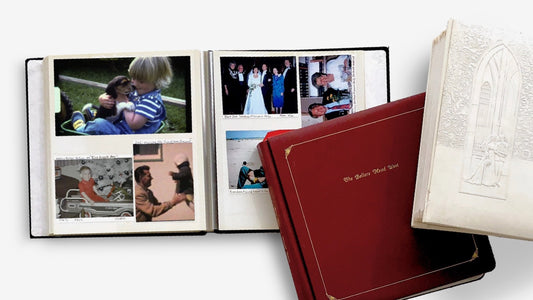
If your photos are tucked away in old albums, you’ll need to handle them with care. Older albums, especially the magnetic "sticky" kind, can be tricky. The adhesive can become brittle, and photos can feel permanently stuck. To remove them safely, try gently sliding a piece of dental floss or a thin, flexible spatula under the edge of the photo to slowly break the seal. Never force a photo out, as this can cause it to tear. If you’re worried about damaging a precious memory, it’s best to leave it to the pros. Many services offer professional album scanning to digitize your photos without ever having to remove them from the page.
Handle Damaged or Faded Photos
We all have them—those cherished photos that have seen better days. Maybe it’s a picture with a crease down the middle, a faded snapshot from the 70s, or one with a bit of water damage. While it’s tempting to try and fix these yourself, it’s often best to set them aside for professional attention. Digitization experts have specialized scanners and software that can help restore color, fix minor damage, and bring faded images back to life. Handing these delicate photos over to a trusted photo transfer service gives them the best chance of being preserved beautifully for years to come.
Label Everything for Better Organization
Once your photos are sorted into piles, the final step is to label them clearly. Place each group into its own Ziploc bag, envelope, or small box. Then, write a clear label for each bundle, like "1980s Christmases" or "Mom & Dad's Wedding." This is the single best way to ensure your digital files are organized exactly how you want them. When the scanning service receives your order, they will see your labels and create corresponding digital folders for each group. This makes finding, sharing, and enjoying your newly digitized photos a breeze.
Key Questions to Ask Before You Choose
Once you have a few potential services in mind, it's time to dig a little deeper. Asking the right questions can help you tell the difference between a basic scanning service and a team that will truly care for your memories. Think of it as a little interview to find the perfect partner for this important project. Here are the key questions I always recommend asking before you hand over your precious photos.
How will you handle my delicate or damaged photos?
This is one of the most important questions you can ask, especially if your collection includes old, fragile, or damaged prints. A reputable service should have clear, careful protocols. Ask if they process photos by hand and what specific steps they take to protect delicate items from further harm. You want to hear that they treat every photo with care, not just run it through an automatic feeder. A quality photo transfer service will ensure that even the most fragile images are preserved safely, giving you peace of mind that your memories are in good hands.
Do you offer rush processing?
Life happens, and sometimes you need your digitized photos back on a tight deadline. Whether it’s for a last-minute anniversary gift, a memorial service, or a family reunion, it’s good to know your options. Ask potential services if they offer an expedited or rush processing service. Be sure to also ask about any additional costs and what the guaranteed turnaround time is. A professional service should be able to capture every detail with care, even when working quickly. Just make sure their rush process doesn’t compromise the quality of the final scans you receive.
What is your policy for file backups and storage?
Once your photos are scanned, what happens to the digital files? Understanding a company’s policy on backups and storage is essential for your digital security. Ask how long they keep a backup of your files after they’ve delivered your order. This can be a lifesaver if you accidentally lose your copy. It’s also smart to ask about the file formats they provide and how your digital memories are delivered—whether on a thumb drive, DVD, or via a secure cloud link. A clear and secure process for digital media transfer ensures your memories are safe from start to finish.
Are there any discounts or promotions available?
Don’t be shy about asking for a better price, especially if you have a large collection of photos to scan. Many services offer bulk pricing that can provide significant savings. It’s always worth checking a company’s website for seasonal promotions or asking a customer service representative if there are any current discounts available. While the cheapest option isn’t always the best choice for something as precious as your family photos, finding a great deal with a reputable company is a win-win. Getting great value for a service you trust is the ultimate goal.
Related Articles
- Best Picture Scanning Services of 2024: Top Picks – YesVideo
- 5 Best Ways to Convert Negatives to Digital – YesVideo
Frequently Asked Questions
How can I be sure my one-of-a-kind photos won't get lost in the mail? This is a completely valid concern, and it's the number one reason to choose a service with a proven, secure process. A trustworthy mail-in service will provide a crush-proof shipping box and a pre-paid shipping label with a tracking number. This allows you to follow your package's journey from your doorstep to the lab and back again, giving you complete peace of mind.
If I'm not sure what I'll do with my digital photos yet, what resolution should I choose? When in doubt, it's always best to go with a higher resolution, like 600 DPI. While 300 DPI is perfectly fine for viewing on a screen, a higher-resolution scan captures more detail. This gives you the flexibility to crop in on a specific face, print a large copy for a frame, or use the image in a future project without it looking blurry. Think of it as future-proofing your memories; you only want to scan them once, so it's best to get the highest quality possible.
What if my photos are stuck in old magnetic albums? Should I try to remove them myself? It's best to resist the urge to pull them out. Those old "sticky" pages can cause photos to tear or peel. Forcing a photo can cause permanent damage to an irreplaceable memory. The safest option is to look for a service that offers professional album scanning. Experts have the right tools and techniques to digitize photos directly from the page, preserving both the image and the original album without risk.
I only have a handful of really important photos to scan. Is a professional service still worth it? Absolutely. The value of a professional service isn't just for massive collections; it's about the quality and care given to each individual photo. For those few truly priceless images—like a wedding photo of your grandparents or the only picture of a loved one—professional scanning ensures you get the best possible digital copy. The superior quality, color accuracy, and careful handling are well worth it for memories that can't be replaced.
Besides the per-photo cost, are there any other fees I should watch out for? It's smart to look at the total picture. Some services might have a lower per-photo price but then charge extra for things that others include. Check to see if essentials like color correction and scratch reduction are part of the standard price. You should also look for any potential fees for the return shipping of your original photos or for the USB drive or digital download of your new files. A transparent company will have all of this information clearly laid out.